runnersuniverse.com

For all things related to Runners, the sci-fi comic by Sean Wang
  • Series Index
    • Vol 1 Bad Goods
      • Bad Goods Ch 1
      • Bad Goods Ch 2
      • Bad Goods Ch 3
      • Bad Goods Ch 4
      • Bad Goods Ch 5
    • Vol 2 Snow Job
      • Snow Job Ch 1
      • Snow Job Ch 2
      • Snow Job Ch 3
      • Snow Job Ch 4
      • Snow Job Ch 5
    • Vol 3 Defects Character
      • Defects Ch 1
      • Defects Ch 2
      • Defects Ch 3
      • Defects Ch 4
      • Defects Ch 5
      • Defects Ch 6
      • Defects Ch 7
  • New Readers
  • Info
    • About Me
    • FAQ
    • Reviews
  • Extras
    • Avatars
    • Banners
    • Pronunciation Guide
  • Store
  • Support
  • Contact

TICK Art Ebay Auction (ending 4/25)

by Sean Wang on April 18, 2010 at 8:37 pm
Posted In: Blog Entries

Not really RUNNERS-related, but I just had an auction listed on eBay for a heaping pile of TICK page art. It’s not original art but photocopies of full issues in both the pencil and ink stages.

At the time I was working on the TICK series, I made 8.5 x 11” copies of the artwork at both the penciling stage and the inking stage, before the shading and lettering was dropped in. I was recently going through my personal archives and decided I had no real use for them anymore, but before just recycling them, I thought maybe they’d be of interest to somebody out there. Not sure I’d call them a “collectible” as much as a “curiosity” since someone might find it cool to see what penciled and inked pages looked like on the series. Obviously, the copy quality varies from page to page and isn’t perfect, but it might be cool for anyone with an interest in the comic art process. Or anyone with an interest in reams of paper.

http://cgi.ebay.com/ws/eBayISAPI.dll?ViewItem&item=190390179051&ssPageName=STRK:MESELX:IT

The auction ends Sunday, April 25, so be sure to check it out now if you’re interested.
 Comment 

BONUS CONTENT: Art Process “Snow Job” #1 cover, Pt 5

by Sean Wang on April 15, 2010 at 12:01 am
Posted In: Blog Entries

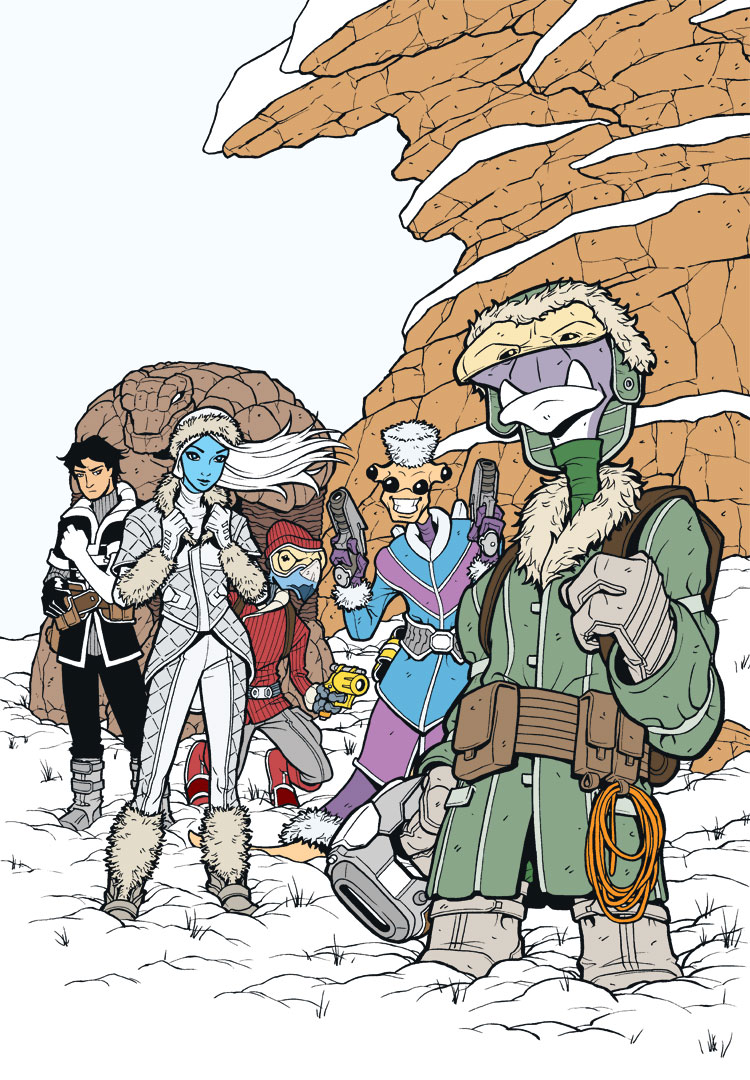
In the previous step, the grunt work of the coloring was finished. Everything had been colored and shaded to a point that I was happy with.Usually at this point in the coloring process, it gets a bit more fun and experimental as I play with effects and tints (if the page calls for them).

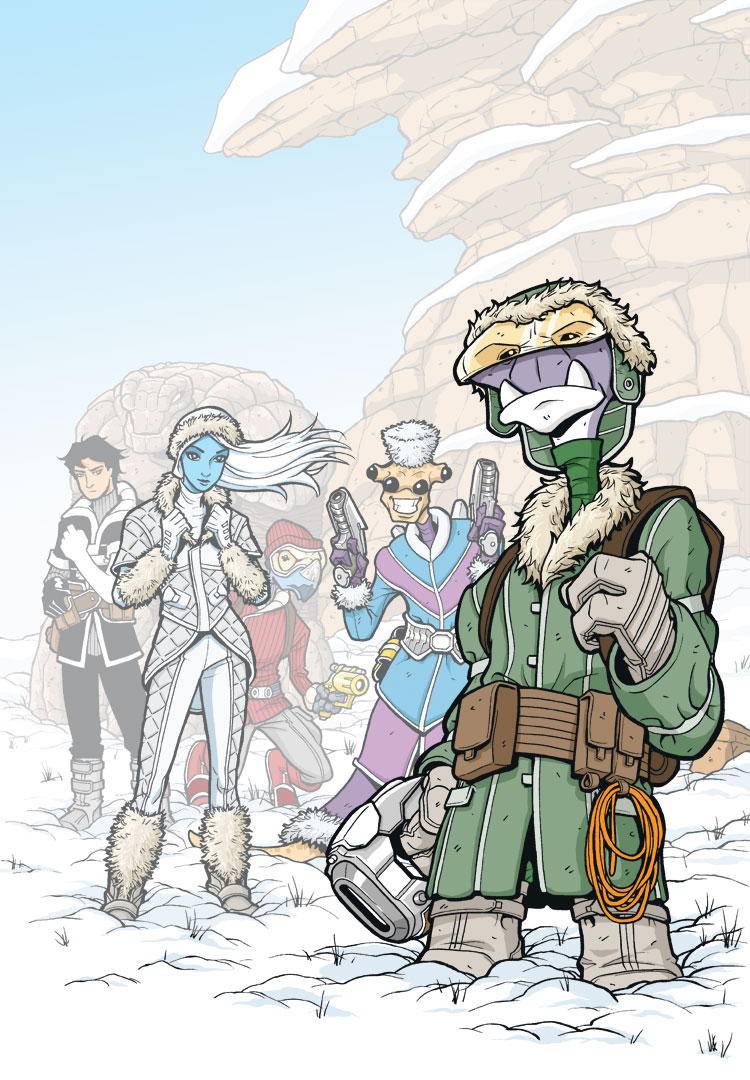
In this case, I always intended for this image to be very atmospheric, with the characters gradually disappearing into the haze of the snow planet as they receded into the distance. I accomplished this by creating several “mist” Layers in Photoshop. Each layer was pure white and had certain elements cut out of it, and I then played with the opacities of the different layers to get the effect I wanted.

In total, I had 3 mist layers going here. The first layer was very light in opacity and covered everything except Roka and the immediate foreground snow that he’s standing on. That way, he’d stand out the most and everything else would get pushed back, visually, to varying degrees. The second layer of mist was behind Sky and Cember, pushing everything behind them back a bit further. Finally, the third mist layer was behind Bocce and Ril. This last layer pushes Bennesaud and the rock wall deep into the background.

I have to admit that sometimes it’s weird to do that sort of thing to your artwork. You think, “Aww, I put all that effort into drawing and coloring Bennesaud and the rock wall, and now you can barely even see them.” But the end result is worth it, I think.

Next up, special effects…

└ Tags: Art Process, Bonus Content
 Comment 

BONUS CONTENT: Art Process “Snow Job” #1 cover, Pt 4

by Sean Wang on April 8, 2010 at 12:01 am
Posted In: Blog Entries

The shading is where the image really starts to take shape. For each flat base color, I add darker areas where things would be in shade, so every color ends up having two tones. I know some artists do a third tone on everything for a highlight color. Personally, for reasons of time management, I just stick with the shadow areas and forego the highlights. I usually only do highlights for certain effects, like shiny materials, reflective surfaces, or rim lighting.

This is also the stage where I’ll use a few gradients here and there to add a little variety to the shaded look. I try not to go overboard with the gradients and blending, since I really do like that clean and cartoony, cel-shaded look. But for something like sky, a gradient works really well in conveying that transition to haze at the horizon.

Next up, mist effects…

└ Tags: Art Process, Bonus Content
6 Comments

Boston Comic-Con April 10-11!

by Sean Wang on April 7, 2010 at 1:23 pm
Posted In: Blog Entries

If any readers are planning to attend the Boston Comic Con this weekend at the Westin Boston Waterfront, I will be set up there in the Artist Alley section. Looks like a lot of great comic creators will be there, including Jim Lee, Mike Mignola, and Eric Powell, among MANY others. Hope to see you there!

2 Comments

BONUS CONTENT: Art Process “Snow Job” #1 cover, Pt 3

by Sean Wang on April 1, 2010 at 12:01 am
Posted In: Blog Entries

Here we have the color flat stage. At this point, I’m just dropping in all the base colors and defining those areas. Just so I don’t kill myself with a ton of different colors on each character, I try to stick to something like 3 main colors per character. For instance, with Roka, I could have made his gloves a different color from his boots and his hat a different color from his jacket, but that would get to be a real pain over time to keep doing on every panel and every page. So for simplicity’s sake, I just use a few main colors on each character and just move them around on that character’s various elements. As another example, with Cember, he has light blue, light purple, and dark purple (with the same dark purple distributed around his body on the neck, gloves, and lower skirt panel). Characters then have some additional embellishing colors as well, but at least the main colors are simplified that way.

A little coloring tip: there are a lot of areas that look white on this page, but when I drop them in at this stage, I drop in a very slightly different white for grouped features. For instance, the sky is one white, the snow on the rocks is another white, the ground snow is another, the white on Sky’s outfit is another, and all the other white bits on the various characters is another. The differences can be as little as 1 value difference in any of the C, M, Y, or K values. The importance is just that it’s different enough that a Magic Wand tool in Photoshop (set to a Tolerance of 1) will pick up one but not the other. That way, if I want to select all the ground snow, I just use the Magic Wand on it, and it will only select that particular white (the ground snow) and not any of the others.

Sometimes I’ll do something similar with other features, like the rock wall. In the Color Flats stage, I might make all the lower rock one shade of brown and the upper rock just a very slightly different shade. The eye may not pick it up, but the Wand will, which makes selection much easier for the next stage.

Next up, color shading…

└ Tags: Art Process, Bonus Content
3 Comments
  • Page 34 of 40
  • « First
  • «
  • 32
  • 33
  • 34
  • 35
  • 36
  • »
  • Last »


Follow Me


Join the Mailing List

Sign up for the latest news and announcements! No spam!

    E-mail Address:


    Bookmark Your Page

    Tags

    Aliens (8) anthology (3) Architecture (5) Art Process (14) Art Tweak (3) Azarek (2) Bennesaud (5) Bocce (10) Bonus Content (89) Broken Frontier (3) Cember (8) Ciceron (3) Color Test (2) Comic Convention (5) ComiXology (4) Commissions (2) Costume (5) Dhama (6) Farm (3) Flashback (5) graphic novel (12) Hes (3) Illaryn Jayd (3) interview (3) Kaagan-Vas (12) Khoruysa Brimia (8) Kickstarter (22) Original Art (3) Patreon (3) Preegan (4) Print (6) Ril (4) Roka (10) Sketchbook (69) Sky (9) Stickers (2) Suul (4) Toned Paper (3) Turnaround (4) Ulon Dosi (14) Uskulon (5) USP (2) Warsaw (4) Weapons (3) Yak (3)

    ©2009-2026 runnersuniverse.com | Powered by WordPress with ComicPress | Subscribe: RSS | Back to Top ↑